You just took the perfect shot on a day out, open your phone a few days later, and there it is — the dreaded notification: "Storage full. Unable to take new photos." Then the panic sets in: What do I delete? Where do I save everything? What if I lose it all when I switch phones? This happens to a lot of people, and the good news is there are solutions. The not-so-good news is that there are plenty of options, and each one has its own way of charging you, confusing you, or saving you. In this article, we take an honest look at the three most widely used services: Google Photos, iCloud, and Google Drive, so you can figure out which one actually fits your life.
What exactly is "the cloud" anyway?
Before we dive into the comparison, let's take a second to explain. When we talk about storing photos "in the cloud," we mean saving them on servers — basically massive computers sitting in a data center somewhere in the world. Think of it like an external hard drive, except it lives on the internet and you can access it from your phone, your computer, or anywhere else. If your phone takes a swim, your photos are still safe.
The catch is that this space isn't unlimited, and in most cases, once you hit a certain limit, you start paying. Understanding where that limit falls for each service is the first step to avoiding any unpleasant surprises.
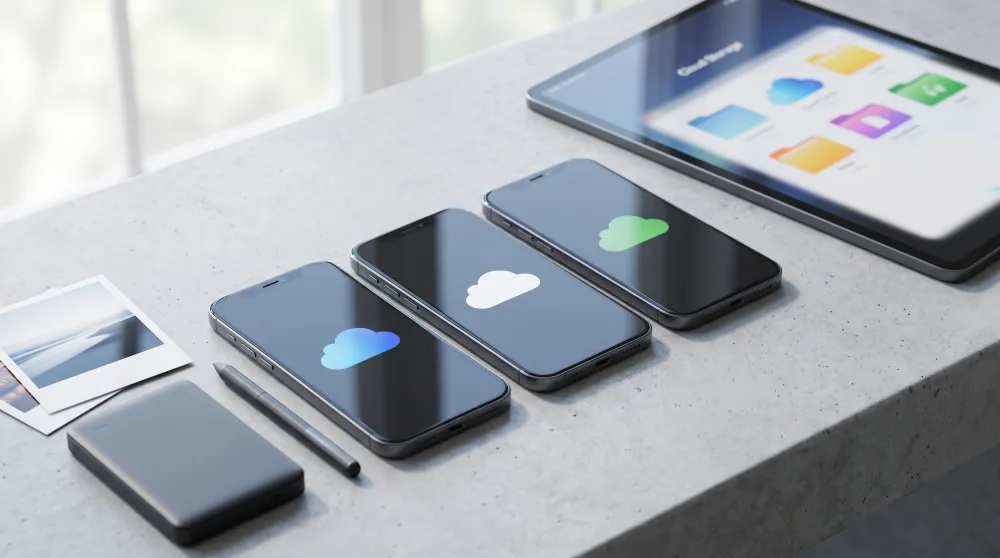
Google Photos: the most popular option in the US
Google Photos is by far the most widely used service among Android users, but it works just as well on iPhone. The big shift came in June 2021, when Google eliminated the free unlimited storage it had previously offered. Before that, you could upload as many photos as you wanted at no cost. Now, the math is different.
Google gives you 15 GB for free with every account — but here's the catch: that storage is shared across Google Photos, Gmail, and Google Drive. So if your inbox is already packed with old emails, that space shrinks fast. For anyone who takes a lot of photos and videos, 15 GB can disappear within a few months.
What does Google Photos do well?
The photo search is genuinely impressive. Type in "beach" or "birthday" and it'll pull up photos from those moments even if you never tagged anything. That's because Google's AI — software that teaches itself to recognize images — automatically scans the contents of every photo. It also organizes albums by face, so you end up with a dedicated album for every person who appears in your pictures.
Another real advantage: it works seamlessly on Android and comes pre-installed on most phones. Syncing is automatic — you don't have to do anything except connect to Wi-Fi.
What does it cost when you run out of space?
Google offers paid plans through Google One. The main tiers are: 100 GB for around $2.99 per month, 200 GB for $3.99, and 2 TB (terabytes — that's a lot of space) for $9.99 per month. You can share a plan with up to five family members, which brings the cost down significantly. For a family of four or five, the 200 GB shared plan is a pretty solid deal.
iCloud: the natural choice for iPhone users
If you use an iPhone, iPad, or Mac, iCloud is already there, built right into the system. It's Apple's storage service, and it integrates tightly with every Apple device. Once it's turned on, your photos show up automatically on your Mac, your iPad, and any other Apple device signed into the same Apple ID.
The free tier for iCloud is just 5 GB, which is less than Google offers. For anyone who shoots photos regularly, that limit fills up fast — especially since iPhones record video at very high quality, and those files take up a lot of space.
When does iCloud actually make sense?
If you live in the Apple ecosystem — iPhone, Mac, iPad — iCloud is almost unavoidable, for one simple reason: the integration is seamless. You take a photo on your iPhone and it shows up on your Mac in seconds, no setup needed. For anyone on Android or Windows, iCloud gets clunky and loses most of its appeal.
Another plus is privacy. Apple has a strict policy against using your data for advertising. Your photos in iCloud aren't scanned to serve you ads — unlike what a lot of people suspect about Google. If that matters to you, it's a meaningful difference.
iCloud+ plans
Apple calls its paid tiers iCloud+. In the US, pricing looks like this: 50 GB for $0.99 per month, 200 GB for $2.99 (this one can be shared with family), and 2 TB for $9.99. The prices are competitive, especially the 50 GB plan, which may be plenty for people who mainly use it for photos.
Google Drive: is it actually a good place for photos?
Google Drive is a general-purpose storage service. You can keep documents, spreadsheets, PDFs, videos, and yes, photos too. But it wasn't built specifically for photos the way Google Photos was. It doesn't have automatic organization by date or face, and there's no smart search by content.
The free storage is the same 15 GB shared with Gmail and Google Photos that we already mentioned. So in practice, using Drive for photos eats into the same space you'd be using for Google Photos anyway.
When does it make sense to use Drive for photos?
Mostly when you want to organize photos into specific folders and share them with other people — like a shared travel album with friends, or event photos you want to send out to everyone at once. You create a folder, drop in the photos, and send the link. Simple. For that kind of one-off use, Drive works great.
But as a primary backup for your camera roll — automatically saving all your everyday photos — Google Photos has a clear edge over Drive. They're different services built for different purposes.
A head-to-head comparison: what actually matters to you
Let's cut to what really counts. Here are the factors that make a difference in everyday life:
- Free storage: Google Photos and Drive give you 15 GB (shared). iCloud only gives you 5 GB. Google wins here.
- Paid plan pricing: All three are in a similar range. iCloud's 50 GB plan at $0.99/month is hard to beat if you just need a little extra room.
- Ease of use: Google Photos is the easiest for most people. iCloud is simpler if you're on iPhone. Drive requires manual organization.
- Automatic search and organization: Google Photos is the clear leader. Its AI-powered organization by face, location, and theme is unmatched at no cost.
- Privacy: Apple has stricter policies and doesn't use your data for advertising. Google uses data to personalize ads, though it says it doesn't analyze your photos specifically for that purpose.
- Works on both Android and iPhone: Google Photos and Drive work on both. iCloud works best on iPhone and is limited on Android.
- Family sharing: Both Google One and iCloud+ let you share a plan with family members, which brings the per-person cost way down.
Which one should you choose? It comes down to one key detail
The honest answer is: it depends on your phone and what you value most. But here's a simple way to think about it:
If you have an Android phone: go with Google Photos. It's already on your phone, backs up automatically, has excellent search, and the paid plans are reasonable. If you have family members, split a Google One plan with everyone and the cost becomes almost nothing. If you use WhatsApp heavily, it's worth checking whether WhatsApp photos are being saved to Google Photos — that can eat through your storage fast, and you can turn it off in the settings.
If you have an iPhone: iCloud is the most practical choice because of how well it integrates with Apple devices. But if you'd rather not pay and 5 GB isn't enough, installing Google Photos on your iPhone and using it for backup works really well too — and you get that 15 GB of free storage as a bonus. A lot of iPhone users actually use both: iCloud to sync with their Mac and Google Photos as an extra backup.
If you just want to organize and share specific photos: Google Drive handles that perfectly without needing any new apps.
Do I need to pay to keep my photos safe?
Not necessarily. With Google's free 15 GB, someone who shoots photos in moderation and doesn't record long videos can go quite a while without paying anything. The trick is to do a periodic cleanup: delete duplicate photos, blurry shots, and all those screenshots you took and never looked at again. Google Photos even has a feature called "Free up space" that removes from your phone any photos that have already been backed up to the cloud — freeing up storage on your device without deleting anything from your backup.
What if I want to switch services later?
You can. Google has a tool called Google Takeout that lets you export all your photos at once. iCloud lets you download everything too. Neither one locks you in permanently, but migrating hundreds or thousands of photos can take a few hours. It's worth setting aside a slow day to do it, connected to Wi-Fi.
What to do right now
Before making any decisions, open your phone's photo app and check how much storage you're already using. On Android, open Google Photos, tap your profile picture in the top right corner, and you'll see how much of your storage has been used. On iPhone, go to Settings, tap your name, then iCloud, and you'll see a usage chart. Once you have that number, it's easy to tell whether the free plan will last a while longer or whether it's worth picking up an extra 50 GB or 100 GB for just a few dollars a month. Keeping your memories safe costs less than a cup of coffee a month — and the peace of mind knowing your photos are backed up? That's priceless.