You pull up to the pump, fill your tank, look at the total, and feel that punch in the gut. Two blocks later, you spot another station charging $0.30 less per liter. Sound familiar? With the threat of trucker and fuel distributor strikes back in the news, prices can swing even faster than usual. In some cities, the gap between the most expensive and cheapest station on the same street hits $0.50 per liter. On a 50-liter tank, that's $25 either staying in your pocket or walking out of it.
The good news is there are free apps built exactly for this: showing you in real time which nearby stations have the cheapest fuel. In this article, you'll discover the tools that actually work, learn how to use them, and understand why — during an unstable moment like a sector strike — they matter even more.
Why do prices vary so much from one station to the next?
Before we get into the apps, it's worth quickly understanding why prices differ so much. Fuel pricing in Brazil has several layers: the cost from the refinery (Petrobras being the main one), federal and state taxes, the distributor's margin, and finally, the station owner's margin. That last piece is where the difference shows up. A station in an upscale neighborhood with high rent needs to charge more. Another on a busy avenue can work with a slimmer margin and make it up in volume.
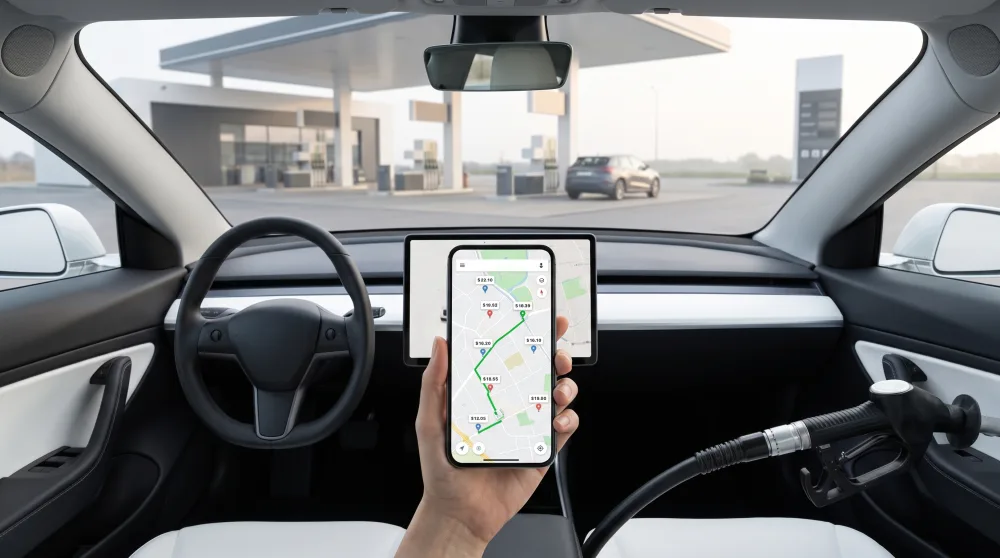
When there's a fuel strike rumor — as happens periodically in Brazil with truckers and refinery workers — stations tend to raise prices ahead of time or stock less, which creates even sharper price swings. In a period like that, the app stops being a convenience and becomes a strategy. Whoever compares before filling up comes out ahead.
Apps that actually work for comparing prices
ANP Price Map
The ANP is Brazil's National Petroleum Agency, the government body that oversees fuel in the country. It requires stations to report their prices weekly and makes that data available on a free public map. You can access it at preco.anp.gov.br or through the official app — search for your city and you'll get a list of prices by station, with the last update date.
The downside is that the data is weekly, so on a day of heavy price movement, what you see may not match what's at the pump right now. Even so, it's a solid reference for understanding your area's price range and identifying which stations tend to be cheaper. It works best when you're planning ahead, not when you're already rushing to fill up.
Waze
Yes, Waze — that navigation app everyone uses to dodge traffic — also shows fuel prices. It runs on crowdsourced data: users report the price they see at the pump, and the app displays it on the map alongside the station's brand and fuel type.
To see prices, open Waze, tap the search icon, and look up Gas stations. The map will show nearby stations with the most recently reported price. You can contribute too: when you drive past a station, Waze asks if you want to update the price. It's a fair trade. The more people use it, the more accurate it gets.
Google Maps
Google Maps has a similar feature, also powered by user contributions. When you search for gas stations on the map, some already show the price per liter right on the pin. Coverage isn't complete across Brazil yet, but in capital cities and larger urban areas it works well.
A practical tip: when you find a station on Google Maps, scroll down on its listing. If a price has been entered, it'll show up there alongside hours and reviews. You can compare two or three stations before you ever leave home.
Combustível Legal (government app)
This one is less well known, but it exists. Combustível Legal is a Brazilian Ministry of Finance app that lets consumers report stations charging abusive prices or selling adulterated fuel. It also has a price map that pulls from ANP data. It's not the most intuitive interface, but it's worth having on your phone as an extra tool — especially during a strike, when price gouging becomes more common.
How to use these apps in practice: a step-by-step guide
Having the app doesn't do much if you don't know how to get the most out of it. Here's how it works in practice, no complications:
- Before you leave home: open Waze or Google Maps and search for stations near your address or along your route. Make a mental note — or take a screenshot — of the two or three cheapest options.
- Compare at least two stations: don't just go with the first one that pops up. A difference of $0.20 to $0.40 per liter is common and worth a few minutes' detour.
- Check when the price was reported: on Waze and Google Maps, prices older than a week may be outdated. Treat them as a reference, not a guarantee.
- Cross-check with the ANP: if you want to confirm whether a price is above or below the city average, visit preco.anp.gov.br. It's more work, but it's official data.
- Update the price after you fill up: it takes two seconds in Waze. You're helping other drivers save money too.
With this flow, you can make an informed decision in under three minutes, before you even start the car.
What changes during a fuel strike?
When there's a strike or threat of a work stoppage by truckers or refinery workers, stations behave differently. Some jump prices before there's even a shortage. Others run through their inventory and close the pumps. And the rush of drivers trying to fill up before supplies run out creates lines and pushes prices even higher.
In that environment, price apps become even more useful — but with one important caveat: updates may not keep up with how fast things are changing. A price reported in the morning might already be different by the afternoon. That's why the smartest strategy during a fuel strike is:
- Fill up before the crisis peaks, when prices haven't been hiked yet at the pump level.
- Use the app to find a station that still has fuel available and a shorter line — not just the cheapest one.
- Avoid stations already pricing well above the average and using the crisis as an excuse to gouge.
- Don't panic-fill when you don't actually need to. That feeds the artificial shortage.
In past strikes — like the 2018 trucker strike — people who kept an eye on the fluctuations and filled up early paid significantly less than those who waited for the crisis to fully hit. Here, information is literally money.
Other tricks to save at the pump beyond the apps
Apps help you find the best price of the day, but there are other habits that reduce how much you spend on fuel over the course of a month.
Fill up early in the morning
This isn't a myth. Fuel is a liquid, and liquids expand with heat. Early in the morning, when the pavement is still cool, the liter measured by the pump nozzle has a higher density. The difference per fill-up is small, but over a year, it adds up.
Avoid stations near highways and airports
These locations tend to charge more because they know drivers don't have many options. If you can plan ahead, neighborhood stations or those on busy commercial streets tend to be more affordable.
Use a cashback card at gas stations
Some credit cards have partnerships with fuel station networks and return a percentage of what you spend. Nubank, Inter, and others have programs like this. Combine that with a price-comparison app and you're saving on both ends.
Track refinery prices
Petrobras announces refinery price changes with some advance notice. Keeping an eye on financial news outlets helps you know whether prices are likely to rise or fall in the coming days. If they're going up, fill up early. If they're coming down, wait if you can.
What to do right now
Download Waze if you haven't already (it's free), turn on the gas station pricing feature, and try it out today. Next time you need to fill up, compare at least two stations before you pull in. If you want official data, bookmark the ANP site on your phone. It takes less than five minutes of prep and can mean a real savings of $20, $30, or more per fill-up, depending on your tank size. With prices where they are — and with the uncertainty a fuel strike can bring — this simple habit makes a real difference in your monthly budget.