Have you ever wanted your own website, but assumed you'd need to hire a developer, spend a fortune, or spend weeks learning to code? That fear is more common than you'd think. The good news is that, today, building a website from your phone is something anyone can do — even with zero technical background. You can put together a good-looking, fully functional, free website in less than an afternoon, using nothing but the phone already in your pocket.
Whether you want to promote a small business, build a portfolio, create a personal page, or even start a blog, the tools available in 2025 have made the whole process incredibly straightforward. In this article, you'll learn how to do it from scratch — without spending a cent and without memorizing a single line of code.
Why having a website still matters
With so much Instagram, WhatsApp Business, and TikTok out there, it might seem like websites are a thing of the past. But that's not quite right. Social media profiles are great for reach, but you don't control the rules. Instagram could change its algorithm tomorrow and your business could disappear from everyone's feed. With a website, the space is yours.
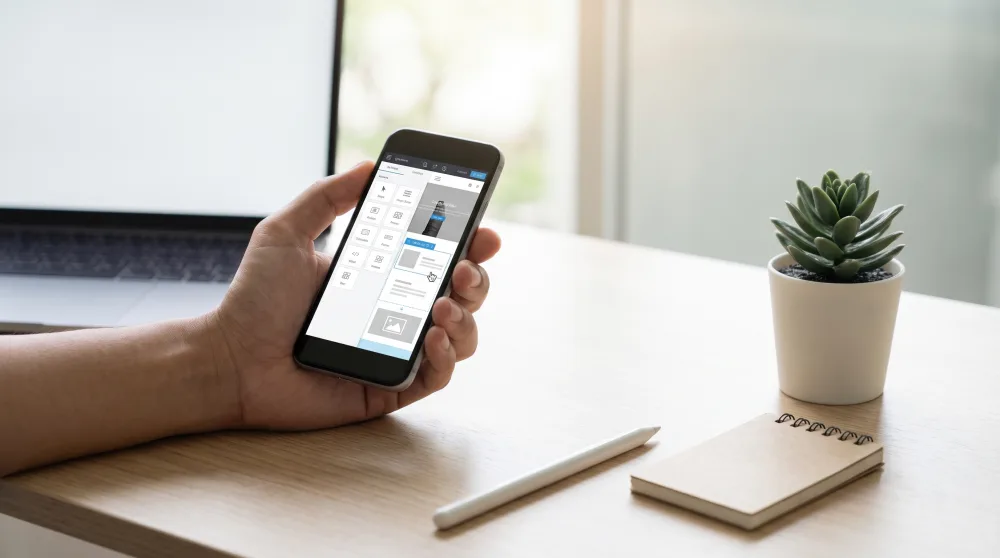
Think about it this way: when someone Googles your business name, what comes up? If nothing shows up, you just lost a sale. A website — even a simple one — builds credibility. People can see your menu, your services, your contact info, and they'll take you more seriously than someone who only has an Instagram link in their bio. And building that space today doesn't require money or any kind of technical training.
The best platforms for building a free website from your phone
There are plenty of options out there, but three stand out for anyone who wants ease of use, great results, and zero cost:
Wix
Wix is probably the most well-known option for beginners. It has an app for both Android and iOS that works really well, with ready-made templates and a drag-and-drop editor. You pick a template, swap out the photos and text with your own, and you're done. The free plan gets your site online, with an address in the format yoursite.wixsite.com/yoursitename. It's not the most elegant address in the world, but it works perfectly for getting started.
The downside of the free plan is that Wix branding appears on your site, and you can't connect a custom domain (your own .com address) without upgrading to a paid plan. For most people, that's not an issue at the beginning.
Google Sites
Google Sites is the simplest option of all. It's completely free with no restrictions, shows no ads, and you can use it right in your phone's browser — no app download needed. The interface is basic, but the end result looks clean and professional. If you already use Google Drive or Gmail, you already have access to it.
It's ideal for anyone who wants something functional and fast: a simple introduction page, an online resume, or a page promoting an event. It doesn't have as many design features as Wix, but it makes up for that with its simplicity and reliability.
Canva
Yes, the same Canva you use for Stories and social media graphics now builds websites too — and it does it really well. You design the page just like you would a post, hit "Publish as website," and it generates a shareable link. The result looks great because design is already baked into Canva's DNA.
The limitation is that it's not built for multi-page sites with complex navigation, but for a landing page — one single page focused on a product or service — it works far better than you'd expect. And the free plan handles it just fine.
Step by step: building your first website from your phone
I'll use Google Sites as the example here since it's the most accessible and doesn't require any downloads. The general idea is similar across the other platforms though.
- Open your phone's browser and go to sites.google.com. Sign in with your Google account (the same one you use for Gmail).
- Tap the "+" button to create a new site. You'll see a blank canvas with editable blocks.
- Choose a theme by tapping "Themes" in the side menu. This sets the colors and fonts for your entire site with a single tap.
- Edit the header: tap on the title and replace it with your business name or whatever you want front and center. Add a background image if you'd like.
- Add sections: use the "Insert" menu to add text blocks, images, contact buttons, maps, or even a simple form.
- Preview the result by tapping the eye icon. Check how it looks on both mobile and desktop.
- Publish: tap "Publish," choose an address (something like sites.google.com/view/yourbusiness), and confirm. That's it — your site is live.
The whole process takes around 30 to 60 minutes the first time. After that, you can make edits in just a few minutes. And any time you update something, just hit "Publish" again to push the changes live.
What to put on your site so it actually works
Getting your site online is only half the battle. What you put on it is what will actually make a difference. A lot of people build a beautiful page and then leave it empty or fill it with generic content that doesn't help anyone.
Think about what your customer or visitor wants to know within 30 seconds: who you are, what you offer, how to reach you. That's it. You don't need long blocks of text or stock photos of someone smiling in front of a laptop. Use real photos of your product, your work, or your own face. That builds more trust than any fancy template ever could.
A few elements every basic website should have:
- Your name and what you do: straight to the point, no fluff. "Maria's Alterations — clothing repairs and custom garments in Austin, TX."
- How to contact you: WhatsApp, email, Instagram. Put whichever one you're most reachable on.
- What you offer: a simple list of your services or products, with pricing if possible. Transparency builds trust.
- Some social proof: a client testimonial, a photo of a completed job, the number of customers you've served. Something that shows you actually do this for real.
Things worth getting right from the start
Creating the site is easy. Keeping it trustworthy and secure takes a little more attention — not much, but enough to save yourself headaches down the road.
First: don't post anything you wouldn't want a complete stranger to see. A public website is exactly that: public. Your home address, Social Security number, banking details — none of that belongs on your site. If you work from home and don't want to share your address, just list your city.
Second: be careful with the email address you use to create your account. Use one you check regularly and that has a strong password. Losing access to that email means losing access to your site. Turn on two-step verification (the code that gets sent to your phone when you log in) as soon as you create your account. It's a simple step that goes a long way.
Third: if someone offers to "boost" your site for a suspiciously low price, be skeptical. Scams involving promises of ranking first on Google, skyrocketing traffic, or "miracle optimization" are everywhere. No free platform and no third-party service can actually guarantee that. The sites that rank well on Google are the ones with useful, consistent content — not the ones that paid a stranger $10 to game the system.
When it makes sense to upgrade and pay for something
The free plan works great for getting started. But at some point, if your business grows or you want a more professional presence, it might be worth investing a little.
The main upgrade worth paying for is a custom domain — a personalized address like mariasalterations.com. A .com domain typically costs around $10 to $15 a year through registrars like Namecheap or Google Domains. It's not expensive, and it makes a noticeable difference when you're sharing your contact info with someone.
Paid plans on these platforms also tend to remove their branding from your site, unlock more storage, and give you access to analytics tools (so you can see how many people visited, where they came from, and what they clicked on). That's useful, but not urgent for someone just getting started.
For now, the most important thing is to take that first step. Open Google Sites today, spend an hour putting your page together, and get it live. Share the link in your WhatsApp, on Instagram, send it to friends and clients. A simple site that's actually online is worth far more than a perfect site that's still "under construction" in your head. Start with what you have, and improve it over time.